
OLLA BREW LAB · COFFEE WORKBENCH
Roast curves, brews and cuppings — one portable workbench.
Import roast curves from Artisan, Giesen, ROEST, IKAWA, Loring, Kaleido and RoasTime — eleven formats in all — then replay RoR, compare batches, and tie every roast to its bean, brew and cupping. Local-first on iPhone and iPad, with your records under your control. Roast to Cup, the professional edition, is part of OLLA Pro.
Made for iPhone and iPad · 中文 / English / 日本語
WHAT'S NEW · 1.3.0
1.3.0: the batch is thought through before the charge.
From pre-roast design to stock, a roast stays one batch record. Design, roasting and stock are logged on the same batch.
ASSESSMENT · BY OLLA
A way of judging coffee, designed by OLLA.
5 cups, judged cup by cup. Cup description 0–15 or quality impression 1–9, one method per record. A problem cup keeps what was seen, judged and done, in its own words.
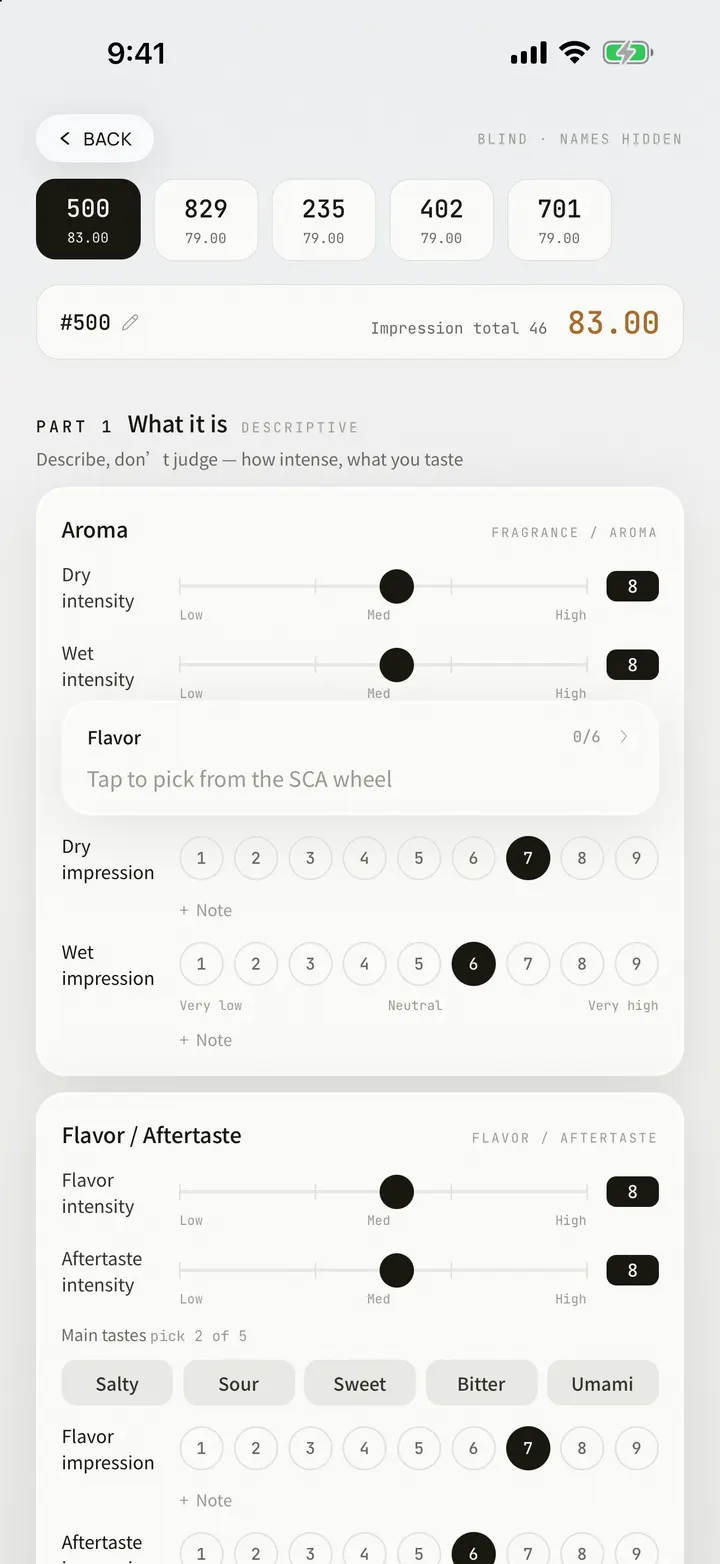
OLLA PROSessions belong to Roast to Cup and OLLA Pro; cupping records and both scoring methods are free.
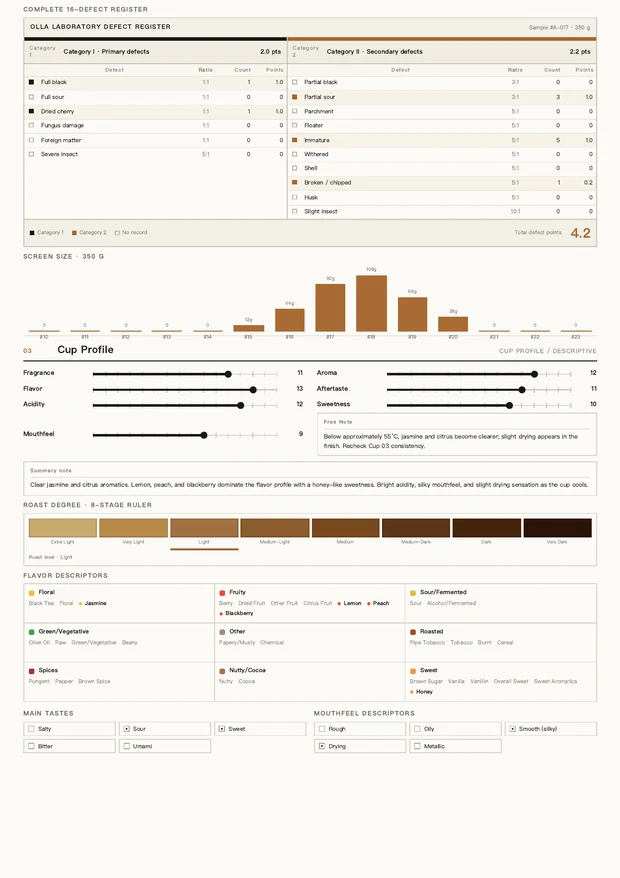
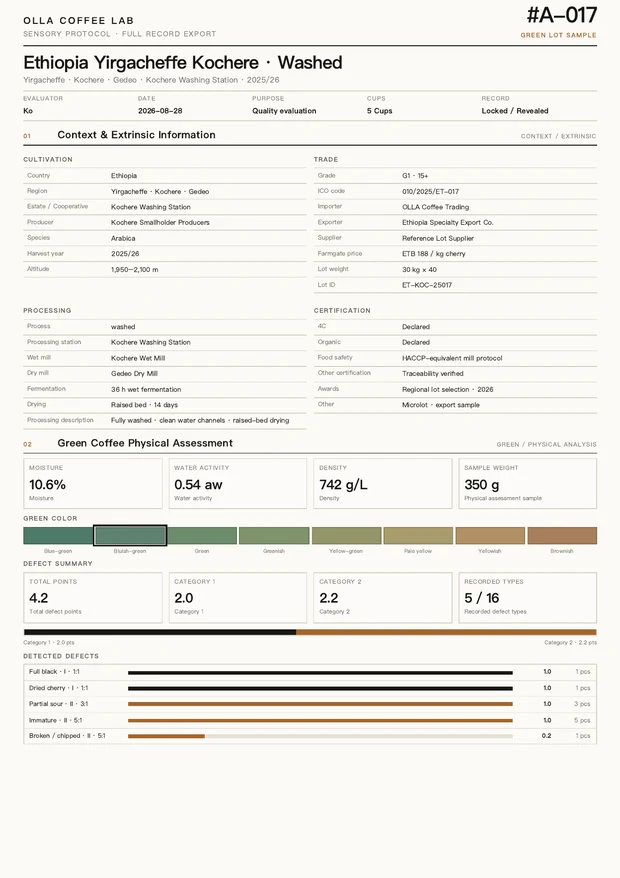
Every assessment can become a document you hand over.
Archive a session and export a vector A4 Full Record, signed with your own studio name. The two pages below come from one real export — not mockups.
ROAST TO CUP · OLLA PRO
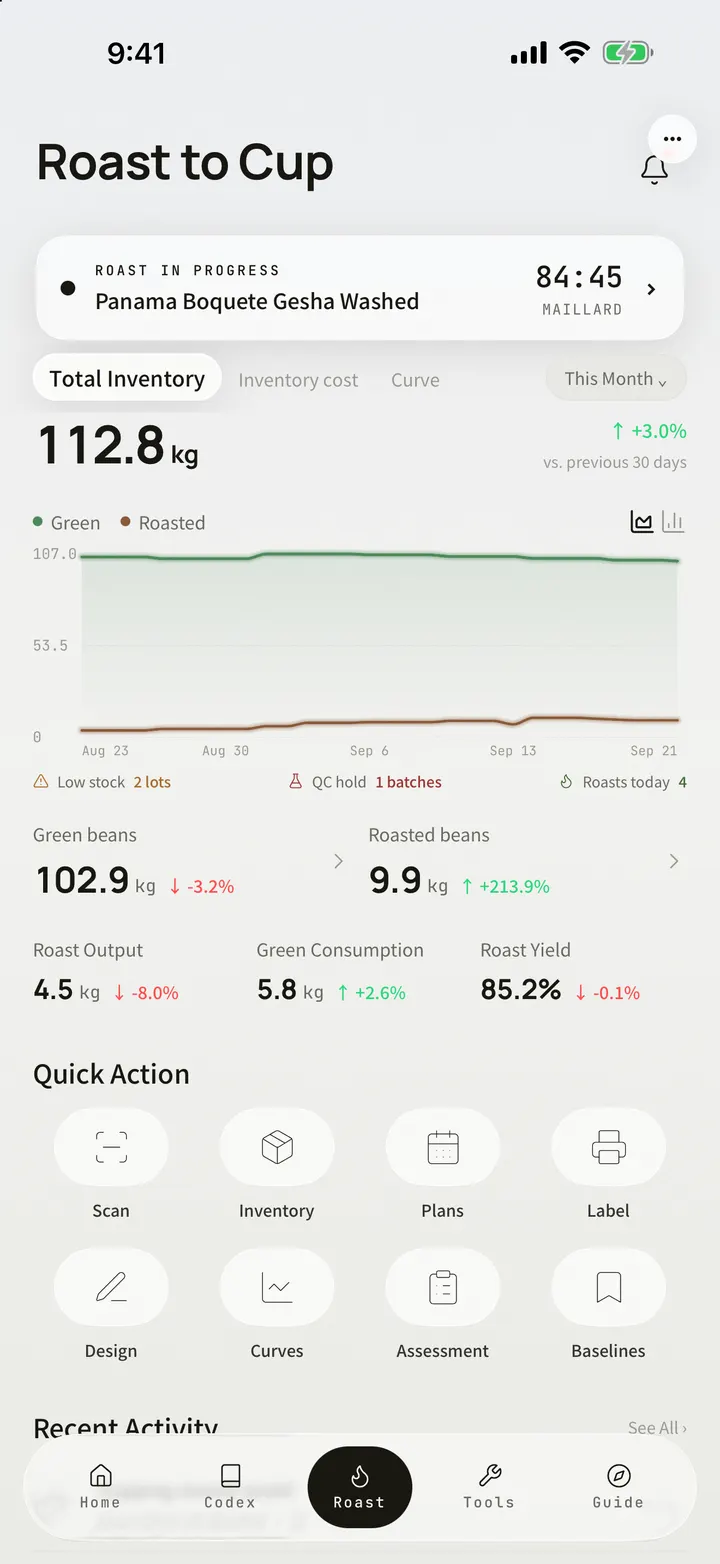
A roastery workbench for professionals.
From a bag of green to the cup, every business move lands in one ledger. The whole of it is OLLA Pro.
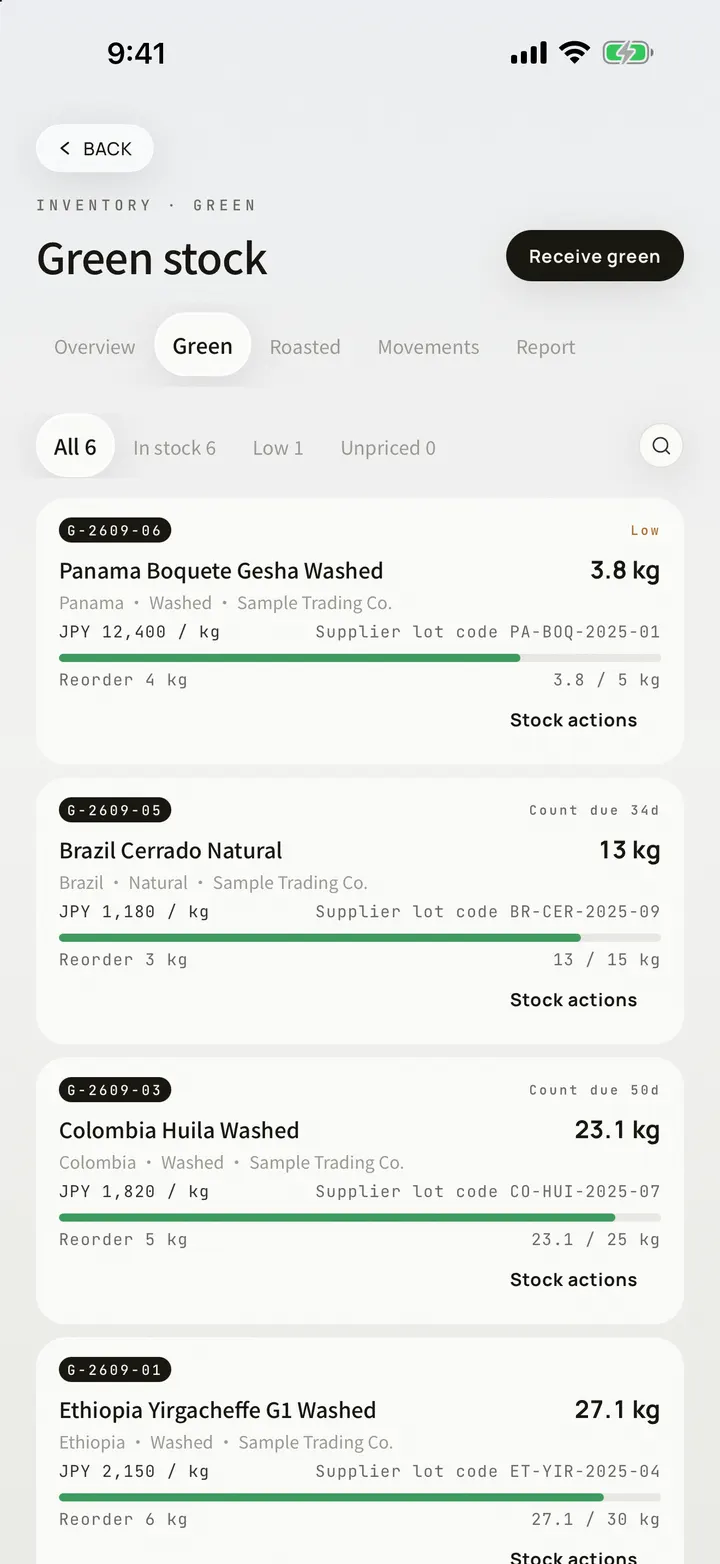
Inventory, one ledger. Green and roasted on their own layers, every bag coded; intake, sales and cost on one row.
ROAST DESIGNER · WEB
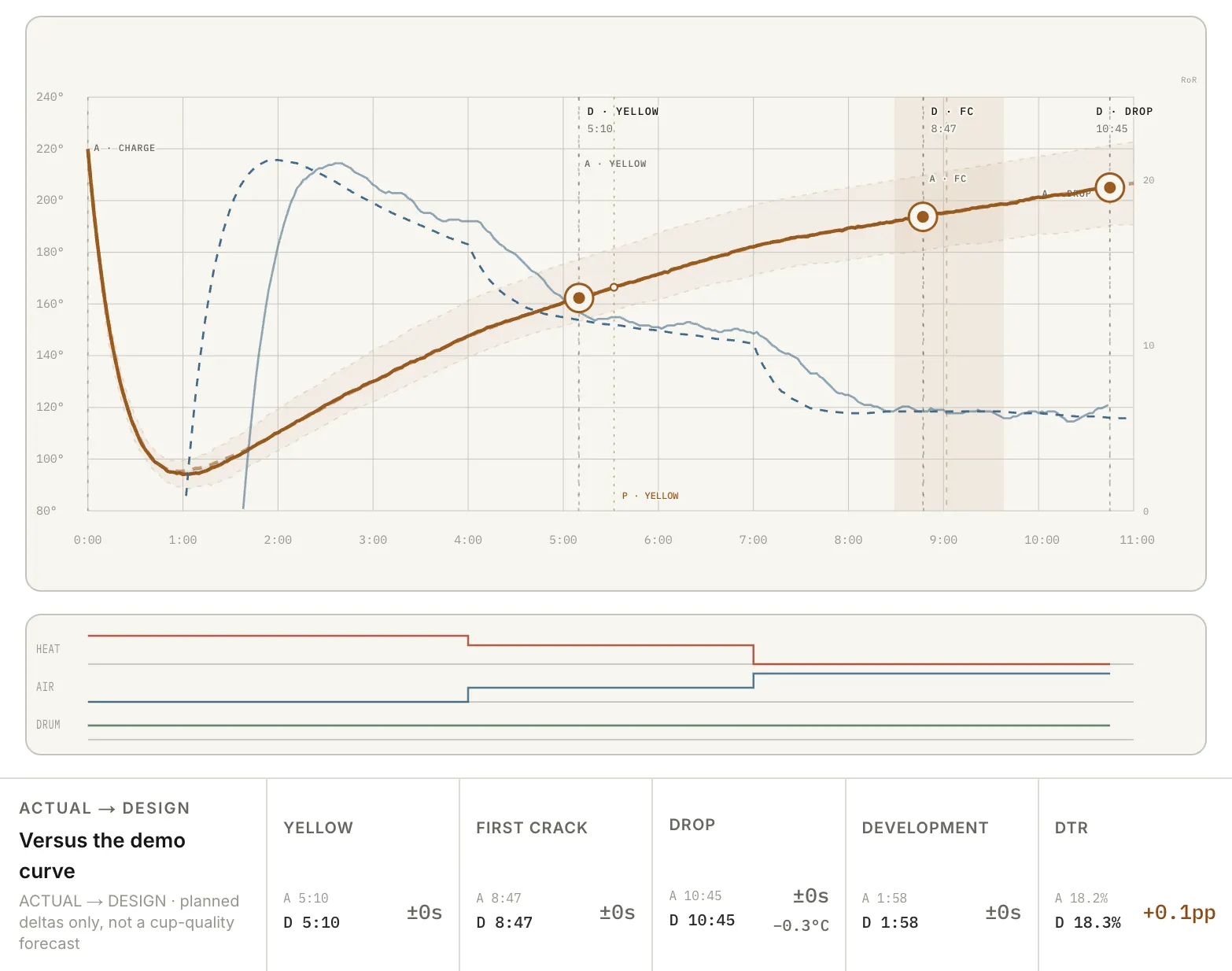
Try a roast design on the Web.
Available since OLLA 1.3.0
- TARGETSFirst crack · drop · DTR
- STARTOLLA demo curves
- FULL DESIGNYour own curves and machine, in the OLLA app
CAMERA CAPTURE
A bag photo becomes a bean card you confirm.
A whole bean list or cafe menu can be read in one shot and sorted item by item.
Split in one shot, grouped by origin. Source text under every candidate; each item saves as its own bean card. Near-match flavour words flagged for you to decide.
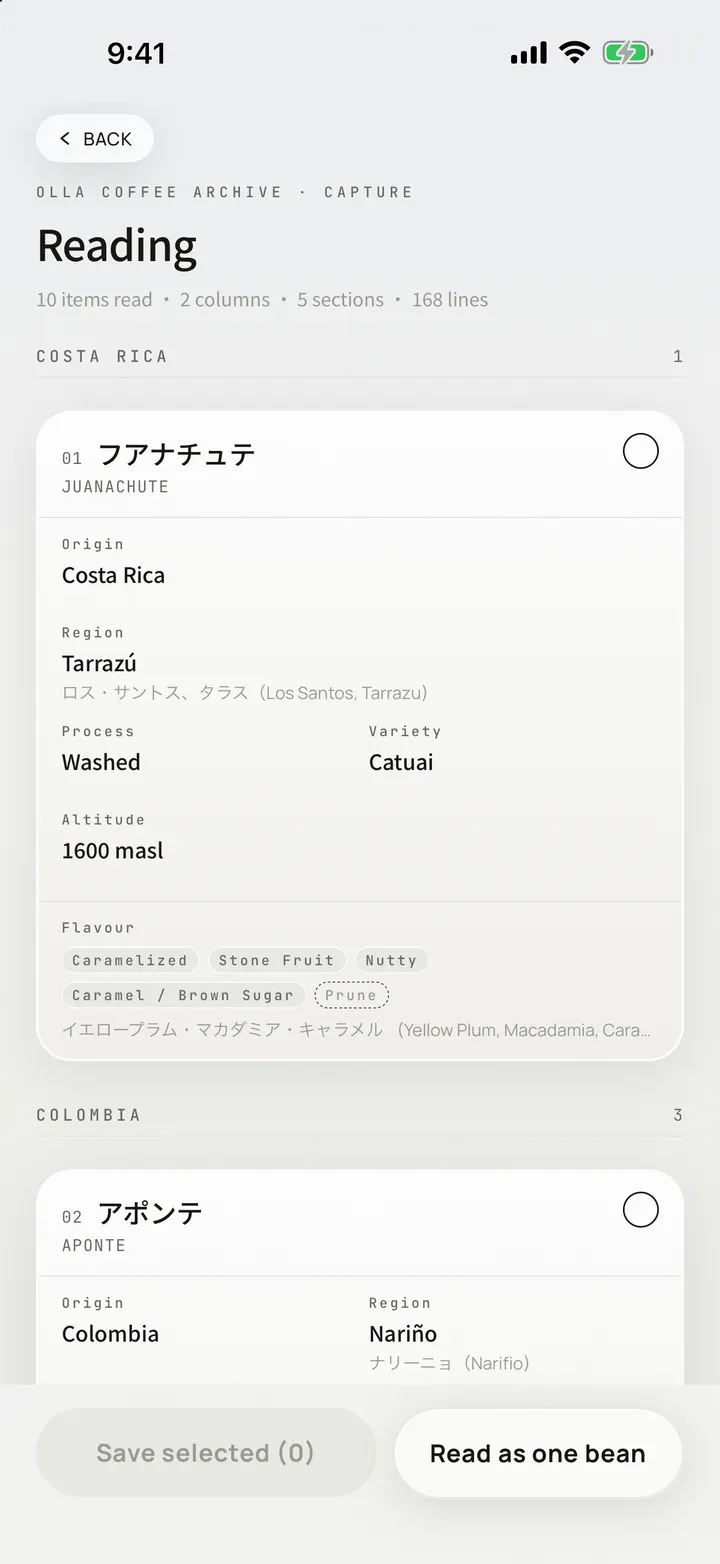
On devices that support Apple Intelligence, filling and translation happen on the device; photos and text never leave it.
CODEX
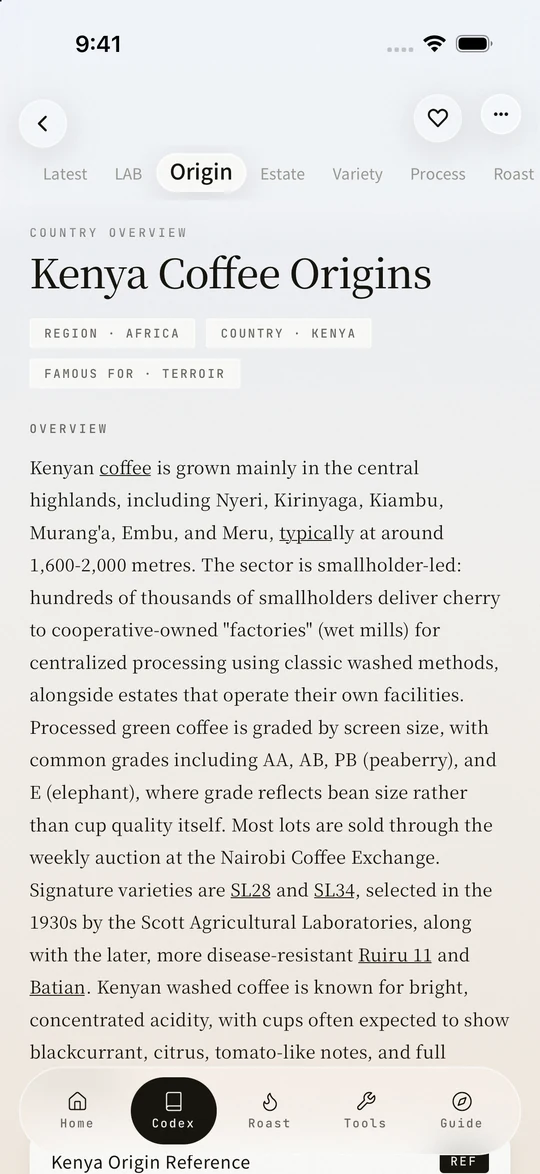
Start with the facts. Then add perspective.
Origins, estates, varieties, processing, roasting, equipment, brewing, tasting — every entry sourced. A number without a source stays blank.
2,000+ entries · 8 categories. 21 grading systems · 236 industry references.
FIELD GUIDE
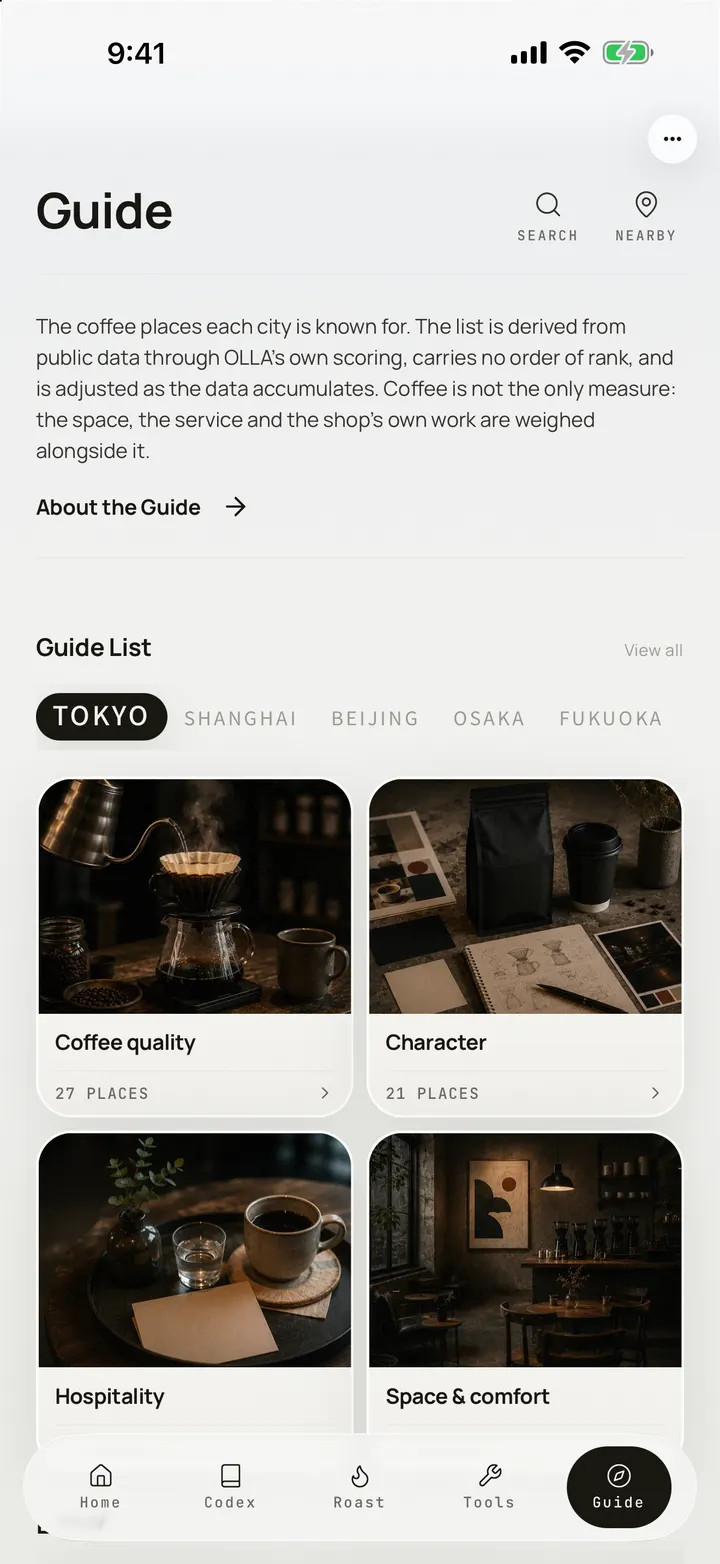
The Codex sits on your desk. The Field Guide walks the city.
One volume per city: Tokyo, Osaka, Kyoto and Fukuoka are published. The other cities on the bar are still being curated. The list comes from public data through OLLA’s own scoring, and reads fully offline.
TOOLS
Ten brewing tools, always within reach.
Timing, ratios, water, grind and cupping — every number checked against official sources.
Equipment library: 48 drippers · 72 filters · 80 bottled waters, checked against official specifications
- T-01Brew TimerSTAGED POURS
- T-02Extraction YieldSCA BREW CHART
- T-05Water Recipe80 BOTTLED WATERS
- T-06Cupping Score2 SCORE SYSTEMS
- T-07Grind Guide26 GRINDERS
- T-09Flavor Wheel85 DESCRIPTORS


JOURNAL & INSIGHTS
The more you log, the clearer your taste.
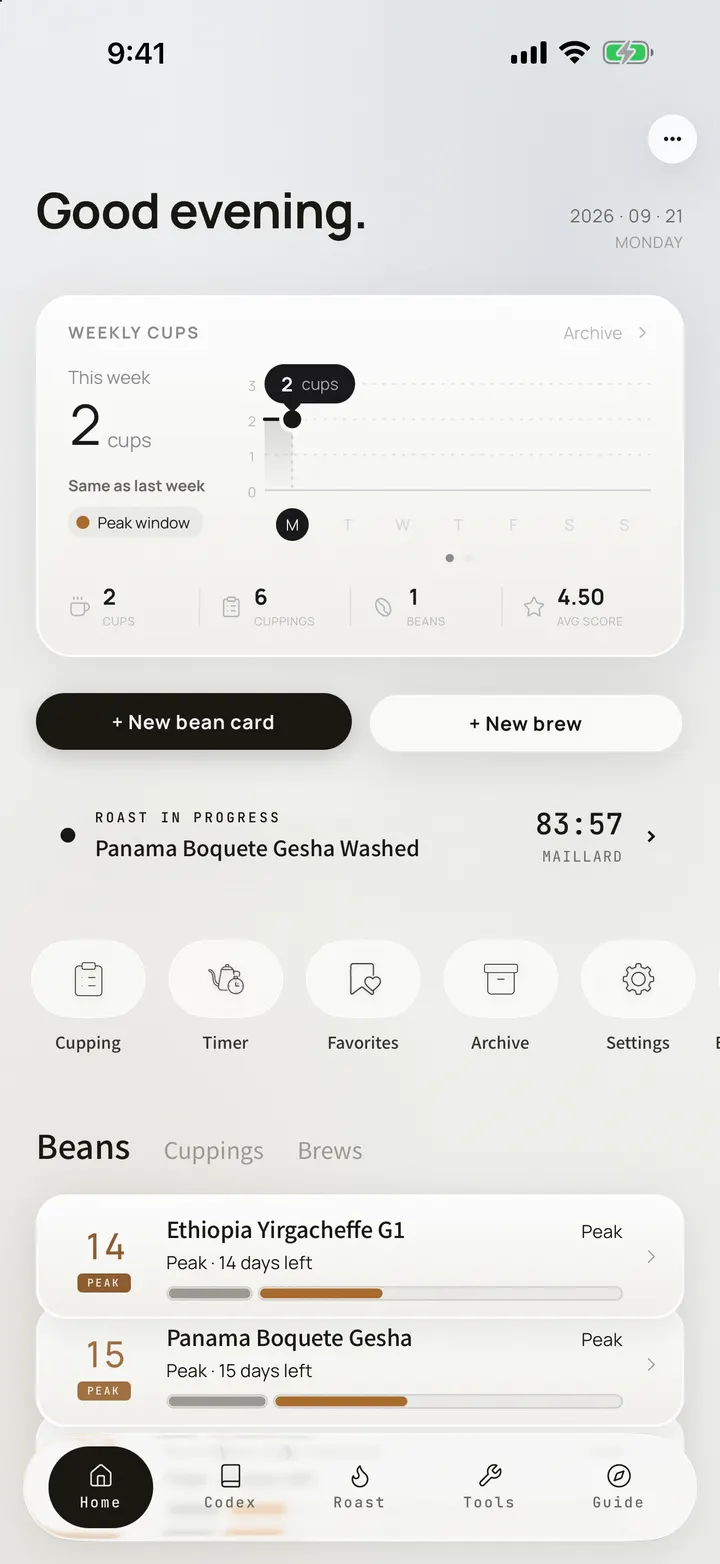
Brews, cuppings and roasts stay linked and add up to a report you can look back on.
Bean cards on the home screen count down their freshness. Resting or at its peak, and the days left, at a glance. A roast in progress shows there too.
OLLA PRO
Recording is free. Running the roastery is Roast to Cup.
The whole of Roast to Cup, deliverables and sync, plus the new AI features arriving in later updates
Bean cards · brews · cuppings
OpenOpenCodex · Field Guide · tools
OpenOpenCamera capture with on-device fill
OpenOpenJSON backup export
OpenOpenRoast to Cup · pre-roast design and curves
—OpenRoast to Cup · inventory in one ledger
—OpenLabel output · dossier and ledger PDFs
—OpenMulti-sample sessions · roast experiments
—OpeniCloud multi-device sync
—OpenReport branding · advanced widgets · LAB
—OpenNew AI features (rolling out)
—OpenMonthly · annual (with a 7-day free trial) · lifetime. Prices follow your App Store region.
Roast and inventory records you kept before stay viewable, comparable and backed up; adding and delivering unlock with OLLA Pro.
ONE WORKFLOW
One account. Every device. One continuous record.
One Apple Account: start on one device, carry on from another.
- iCloud multi-device sync is part of OLLA Pro
- Sign in with Apple
- Free JSON backup and restore
- CSV export where available
OLLA BREW LAB · APP STORE